
AI Music Tempo Tags & BPM Changes: Suno Guide
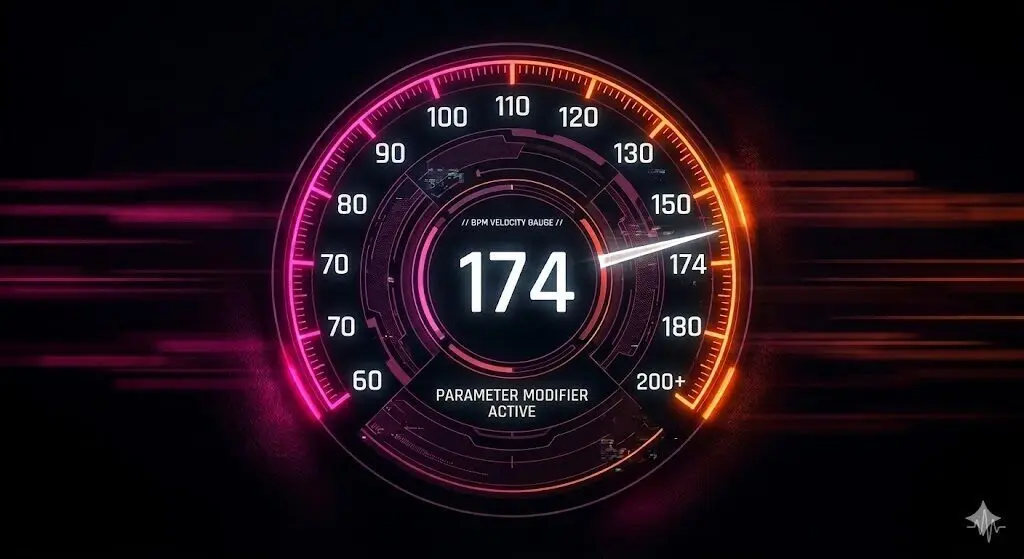
Prompting the Heartbeat of Your Track
In AI music production, tempo tags are more than just a speed setting—they dictate the rhythm, energy, and breath of your render. Whether you are aiming for the slow, atmospheric crawl of Ambient or the aggressive, high-velocity drive of Phonk, using the correct tag is the first step in successful prompt engineering.
Math vs. Texture: The BPM Advantage
If you’re lucky, vague descriptors like “Fast” or “Slow” might provide the AI with a general mood, but BPM (Beats Per Minute) provides the exact mathematical logic required for a professional track.
- BPM for Precision: Using a specific numerical value like
128 BPMlocks Suno into a rigid grid, which is essential for electronic and dance genres that require perfect synchronization. - Descriptors for Texture: Combining intensity-based tags with BPM (e.g
Driving, 140 BPM) tells the AI not just the frequency of the beat, but the velocity and weight with which the instruments should perform.
Pro Tip
How to Master Suno Tempo Syntax
Because Suno processes each input box differently, your tagging strategy must adapt to where you place the code.
The Lyrics Box: Command Override
If you want to create tempo changes within the song, you’ll need to place tempo tags in the Lyrics Box. Using both areas gives you total control, letting the Style Box set the foundation while the Lyrics Box handles the mid-song shifts.
- Syntax:
[Tempo: 80 BPM] - Result: A real-time shift in velocity.
The Styles Box: Global Parameters
When setting your tempo, you have two main choices. For a steady track, you should always lock in your BPM in the Suno Styles Box to set the overall speed. You can either use a tempo tag from our ranked list or enter an exact BPM for total mathematical precision.
- Syntax:
80BPM - Result: A permanent tempo applied to the entire render.
The template on the right features two distinct tempo changes. The first change accelerates the speed to build energy, while the second wraps up the track even slower than the song started. This dramatic shift creates massive tension and contrast.
Naturally, you should substitute your own tempo shifts to match the exact changes in velocity you have in mind.
Suno Tempo Change Template
LYRICS BOX
[Intro]
[Tempo: 80 BPM]
[Rhythm: Half-time]

[Verse 1]
Your lyrics here...

[Transition: Accelerando, Building Tension]
[Tempo: 128 BPM]
[Rhythm: Double-time, Driving, High-energy]

[Chorus]
Your lyrics here...

[Transition: Ritardando, Decaying Texture]
[Tempo: 60 BPM]
[Melancholic, Minimalist]

[Outro]
Your lyrics here...
[Grand Rallentando]
[END]Whether you are looking to ground your track in a steady Groove or push the limits of high-speed energy, choosing the right tag is essential. The Suno Tempo Commands below are organized into specific ranges from slowest to fastest. Explore the categories, add the BPM parameters to your Style Box, and feel how precision timing transforms the impact of your AI music!
Ranked AI Tempo Tags List
From Slowest to Fastest
Very Slow Tempos
20-66 BPM
Very slow tempos allow for massive reverb and evolving textures. Use these for Ambient, Funeral Doom, or Cinematic Scores where silence is as important as the music itself.
Grave
20-40 BPM: A solemn and extremely slow directive, emphasizing maximum weight and architectural dignity.
Adagissimo
24-40 BPM: A superlative slow tempo, indicating the highest degree of ease and rhythmic deliberation.
Largo
40-60 BPM: Broad and dignified; a stately tempo often associated with high Baroque and Classical formal movements.
Lento
45-60 BPM: Slow and broad; a directive frequently used to establish a melancholic, introspective, or atmospheric foundation.
Larghetto
60-66 BPM: A diminutive of Largo; somewhat broad but characterized by slightly more rhythmic mobility.
Slow Tempos
66-84 BPM
Slow tempos are the heart of ballads and blues, providing space for soulful vocals to breathe in a steady, heavy pulse. Ideal for Downtempo Lo-Fi, Heavy Soul, or Atmospheric Trip-Hop.
Adagio
66-76 BPM: “At ease”; a slow and stately tempo emphasizing lyrical phrasing and expressive depth.
Largamente
70 BPM: A directive to perform broadly with an expansive, full-bodied textural feel.
Tranquillo
70-80 BPM: A character directive indicating a calm, serene, and undisturbed performance.
Sostenuto
70-80 BPM: Sustained and gentle; emphasizes the horizontal continuity of notes (Legato).
Cantabile
72-84 BPM: “In a singing style”; indicates a flexible, melodic delivery mimicking human vocal phrasing.
Walking Pace Tempos
76-112 BPM
Walking pace tempos are perfect for Boom-Bap, Classic Rock, and Mid-Tempo Indie. Use these to achieve a relaxed, head-nodding pocket that maintains enough rhythmic energy to keep the listener engaged.
Andante
76-108 BPM: A moderate walking pace; the foundational speed for flowing, natural rhythmic movement.
Andantino
80-108 BPM: Slightly more mobile than Andante; indicates a light, walking character with increased fluidity.
Andante Moderato
92-112 BPM: A transitionary tempo between a walking pace and a moderate one.
Moderate Tempos
96-120 BPM
Moderate tempos are the library’s most versatile range. This rhythmic drive is the heartbeat of Disco, Pop-Rock, and House Music. These tags keep energy consistent without feeling rushed—the optimal balance for a steady, professional Groove.
Tempo Comodo
96-112 BPM: “At a comfortable speed”; a moderate tempo emphasizing a natural, unforced rhythmic pocket.
Moderato
108-120 BPM: A standard moderate tempo; the neutral baseline for most contemporary and classical arrangements.
Allegretto
112-120 BPM: “A little bit joyful”; moderately fast, but lighter and less driven than a full Allegro.
Tempo di Marcia
120 BPM: “In the style of a march”; characterized by a strict, repetitive 2/4 or 4/4 pulse.
Tempo Giusto
120 BPM: “Just time”; a directive for an exact, steady, and strict tempo without expressive fluctuation.
Fast Tempos
116-176 BPM
Fast tempos shift tracks into high gear, triggering aggressive percussion and rapid-fire synths. This range is perfect for high-intensity Pop, EDM, Techno, and Punk.
Allegro Moderato
116-120 BPM: Moderately fast; combines the energy of Allegro with the restraint of Moderato.
Allegro
120-168 BPM: Joyful and brisk; a lively tempo that drives the composition forward with high energy.
Con Moto
120-160 BPM: “With movement”; indicates a lively, active performance with a strong sense of forward motion.
Mosso
120-160 BPM: “Moved”; often used with other terms (e.g., Più Mosso) to signal an increase in agitation or speed.
Animato
130-160 BPM: “Animated”; a character directive for a spirited, lively, and energetic performance.
Allegro Vivace
132-140 BPM: Faster and more vibrant than Allegro; emphasizes briskness and high-energy articulation.
Vivace
140-176 BPM: Very fast and vivacious; a directive for high-velocity performances and rapid rhythmic subdivision.
Con Brio
144-176 BPM: “With vigor”; implies a spirited, energetic tempo with brilliant articulation.
Very Fast Tempos
172-200+ BPM
Very fast tempos push the absolute limits of the rhythmic grid. Essential for Drum & Bass, Thrash Metal, and Phonk, these rapid-fire tags engineer powerful urgency and high-adrenaline sonic walls. This optimal setting delivers relentless energy that leaves the listener breathless.
Allegrissimo
172-176 BPM: Superlative fast; indicates an extremely brisk and lively execution.
Presto
168-200 BPM: Very fast; a directive for rapid-fire delivery and high-intensity rhythmic drive.
Molto Allegro
176-200 BPM: “Very fast”; emphasizes the upper boundaries of the Allegro speed range.
Prestissimo
200+ BPM: As fast as possible; the ultimate directive for maximum speed and breathless performance.
Other Tempo Changes
Music isn’t always linear. This section covers non-standard commands, including gradual accelerations and sudden shifts in tempo. Use bracketed tags [ ] in the Suno Lyrics Box to break the Groove and add human-like variation to your track.
Accelerando
A gradual increase in tempo; typically used to build tension leading into a chorus or drop.
Ritardando
A gradual slowing of the tempo; used to prepare for a cadence or structural transition.
Rallentando
Broadening the tempo; implies a gradual decrease in speed paired with a more expansive feel.
Rubato
“Robbed time”; a flexible tempo directive where the performer fluctuates speed expressively for emotional impact.
Stringendo
No drums, just pads and echoes that feel like they are floating.
Allargando
Broadening; indicates a slowing down of the tempo while maintaining or increasing volume and majesty.
Scherzando
Playful or joking; a character directive for a light, whimsical, and rhythmic performance.
Tempo Primo
A structural directive to return to the composition’s original opening tempo.
Doppio Movimento
“Double speed”; an instruction to perform exactly twice as fast as the preceding section.
Ritenuto
Immediately slower; a sudden reduction in speed, distinct from the gradual nature of Ritardando.
a tempo
A directive to resume the previous steady tempo after a period of fluctuation (like Rubato or Ritardando).
a piacere
“At pleasure”; indicates that the tempo and rhythmic phrasing may be decided freely by the performer.
Suno Tempo & BPM Examples
To engineer a professional-grade arrangement in AI music, you must define the correct speed (BPM) for your track. While most creators let Suno choose a random speed, sonic engineers use precise tempo classifications—like Upbeat Pop, Mid-tempo Groove, or Slow Burn Ballad—to trigger the AI’s internal library of genre rhythms.
Quick & Easy Hit Record Tempo Prompts
To get a professional sound, you can base your prompt on the natural speed of a famous hit song. This helps the AI hit the exact energy and bounce you want.
To recreate the rhythmic style of these popular tracks, copy and paste these tags into your Suno Styles Box:
Billie Eilish – “Bad Guy”
135 BPM, Pop, Dark, Synth Bass, Steady Pulse, Minimalistic Groove, Mid-Fast TempoDua Lipa – “Levitating”
103 BPM, Disco Pop, Danceable, Funky Bassline, Upbeat Groove, Club TempoMichael Jackson – “Billie Jean”
117 BPM, Dance Pop, Funk, Driving Bass, Mid-Tempo Groove, Iconic Four-On-The-FloorThe Weeknd – “Blinding Lights”
171 BPM, Synthwave, Fast-Tempo, High-Energy, Driving Retro Beat, Continuous PulseEminem – “Lose Yourself”
86 BPM, Hip-Hop, Mid-Tempo, Aggressive Groove, Driving Guitar Riff, Boom-Bap PulseQueen – “We Will Rock You”
81 BPM, Arena Rock, Slow-Tempo, Stomp-Clap Rhythm, Massive Heavy Beat, Anthem PulseTaylor Swift – “Shake It Off”
160 BPM, Upbeat Pop, High-Energy, Fast-Tempo, Driving Brass, Dance-Pop BounceAdele – “Hello”
79 BPM, Ballad, Slow Burn, Epic Scale, Heavy Emotional Weight, Cinematic PulseOutkast – “Hey Ya!”
160 BPM, Funk, Indie Rock, High-Velocity, Syncopated Acoustic Strum, Explosive Dance TempoNaturally, you can substitute your own numbers (like 120 BPM, 85 BPM, or 140 BPM) for the specific tempos in the list to match the exact Groove you have in mind. If you aren’t sure about the exact speed or rhythm of your reference track, you should lock in your numbers before you start tagging. Head over to the Soundbrenner Online Metronome to establish a solid click track.
Use the Tap Tempo button to click along with your song to find the exact BPM. You can also use the selector to test different time signatures like 4/4 or 6/8. Honestly, almost every song uses 4/4, so that is the Suno default, you don’t even need to tag it.
Sicko Mode: Mastering the Gear Shift Effect
To understand how tempo commands transform a track, we look to the masters of the beat switch. A perfect example is “SICKO MODE” by Travis Scott. This track doesn’t just play at one speed; it uses distinct rhythmic coordinates to signal entirely new song sections.
By placing Tempo and Transition tags between your song sections, you effectively take control of the internal clock to create intentional energy shifts.
This method turns a repetitive loop into a living composition. It allows you to layer in texture—the feel of the music—so Suno understands when to move from a relaxed, atmospheric vibe to an intense, driving rhythm. By managing these shifts, you can engineer the same tension and release found in professional studio recordings.
Watch for the Tempo Changes:
- 0:00 – 1:00 | The Foundation | The track initiates at a steady 139 BPM, establishing a dark, atmospheric baseline.
- 1:01 – 2:57 | The Overdrive: Up-Shift | The system suddenly brakes and recalibrates to a high-velocity 155 BPM Groove, cranking the rhythmic tension to the limit.
- 2:58 – End | The Sludge Drop: Half-Time Shift | The engine doesn’t slow down, but the floor drops out. By cutting the beat to a heavy 77.5 BPM feel, the track proves that BPM is the ultimate signal for a total shift in vibe.
Notice how the energy of the track is redefined every time the tempo shifts. This is the precision you can achieve by using precise AI tempo commands in your Suno Lyrics box.
Beyond the BPM
Next Steps: Round Out Your Sound
Congratulations! You’ve mastered the Tempo of your track. Now, you can explore specialized tempo tags to build your next engineering move:
- Rhythmic Drum Builds – Master the art of the tension-building riser.
- Rhythmic Verses – Lock your vocals into a precise flow.
- Strategic Grooves – Add swing and human feel to your rhythm.
- Dynamic Bridges – Shift the energy for powerful transitions.
- Rhythmic Breakdowns – Simplify the beat for maximum impact.
Feeling overwhelmed by all the options?
Don’t sweat the theory. If you’ve got a specific artist or mood in mind, let Vibe-to-Tag engineer the perfect Suno Lyrics tags and complete Styles box for you instantly.
One click, zero stress.