AI Music Prompt & Style Tag Library
Time to Read:
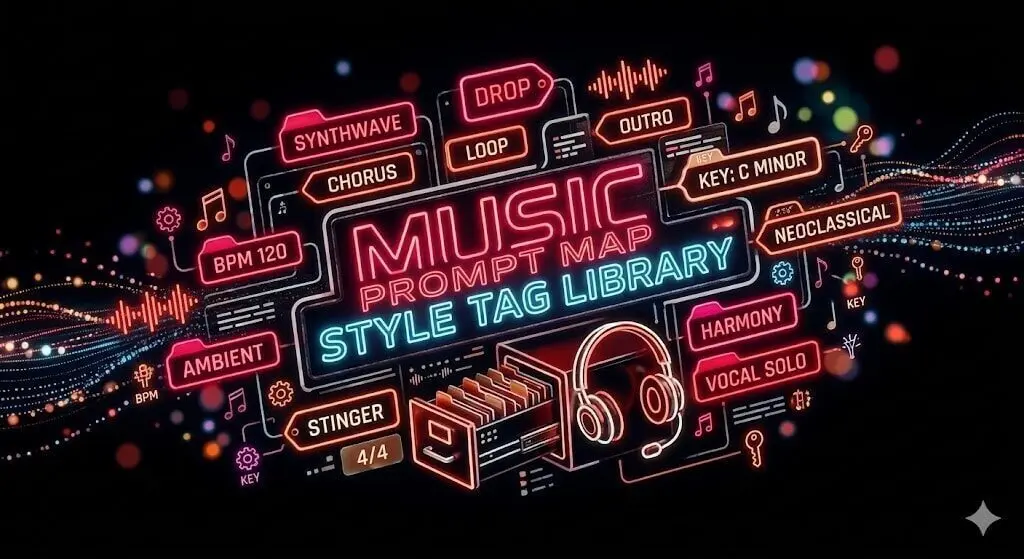
Use this library to find the exact tags Suno needs. Whether you want to command high-impact arrivals with custom [drops], establish your track’s heartbeat with precise [tempos], or build memorable, sing-along hooks using [choruses], pick a category below to structure your song, tune your sound, or define its purpose—then copy the syntax straight to your AI tool.
AI Music Prompts
Choose Your Direction
Beginnings
Intros
Intros are modern, genre-specific openings designed to launch the track. From 808 bass Drops to vintage vinyl crackle, these tags set the immediate vibe and energy level of the song.
An Intro tag should follow any other specialized start (like a Build or Soundscape) to signal the AI to stop the pre-roll and officially kick the full arrangement into gear.
Other Starts
Builds
Builds are all about cranking up the tension. They act like an on-ramp, using rising volume or extra layers to signal that a big energy shift will be coming next.
[Filter Build]
Dominant in Electronic and Modern Pop, this mechanical filter build-up creates high-tension transitions and instant sonic impact.
[Atmospheric Build]
Perfect for Cinematic, Ambient, and Big Room genres, this build uses reverb-soaked layers and crescendos to make the sonic space feel larger.
[Thematic Build]
Used in Orchestral, Prog Rock, and Film Scores, this complex build layers a recurring motif to evolve the music and tell a story. While highly effective, this is the least common because it’s the most complex and may fail.
[Drum Roll Build]
Used in Classic Rock and Pop-Punk, this percussive sequence increases in speed to build tension for an immediate high-energy transition.
[Slow Build-up]
Used in Cinematic and Electronic music, this gradual escalation of volume and layers develops momentum to heighten anticipation before the main section.
Lead-Ins
Lead-ins are short musical cues that give the song a running start with a quick instrumental phrase to set the rhythm and melody before the full band kicks in.
[Percussion Lead-In]
Used in Rock, Pop, Funk, and Latin genres, this rhythmic start uses drum fills or percussion to establish the beat before other instruments enter.
[Synth Lead-In]
Used in EDM, Synthwave, and Modern Pop, this introductory phrase uses a synthesizer to establish the melody before the beat drops.
[Synth Lead]
A melodic introduction featuring a monophonic synthesizer lead with filter sweeps or vibrato.
[Brass Lead-in]
Used in Jazz, Big Band, Soul, and Funk, this introductory horn or trumpet phrase establishes the main theme before the full ensemble joins.
[Indian Percussion Lead]
A rhythmic opening led by Indian classical percussion like the tabla, mridangam, or ghatam.
Soundscapes
Soundscapes use ambient textures to define a track’s physical space, swapping melodies for immersive tones and harmonic washes to establish the mood.
[Soft Soundscape]
A subdued introductory texture featuring ethereal pads and gentle swells.
[Dark Soundscape]
An uneasy or eerie introductory texture with a militaristic or industrial feel.
[Sparse Soundscape]
A minimalist opening with few elements, focusing on echoing space and wide stereo imagery.
[Experimental Soundscape]
An avant-garde opening that avoids traditional song structure in favor of unconventional sounds and atonal textures.
[Abstract Soundscape]
A cinematic or experimental opening featuring ambient textures and synthetic washes with no distinct pulse.
Signatures
Aggressive, genre-locking openers punch through the silence and establish your track’s energy to hook the listener.
[Bold Entry]
A sudden Sforzando (sfz) attack followed by a sustained phrase.
[Synth Start]
Used in Pop, Synthwave, EDM, and Lo-Fi, a synthesizer provides the very first sound at 0:00 to immediately establish the track’s timbre.
[Bass Wobble Start]
Used in Dubstep, Bass House, and Trap, this high-impact opening features LFO-modulated bass sounds typical of dubstep or grime.
[Reverse Reverb Impact]
Creates a cinematic sucking sound effect where a lush, ghostly reverb builds up from silence and suddenly slams into the first note of the song.
Textures
Ear candy openers use ambient noise and vintage textures to set the stage before the first note even plays.
[Lo-fi Vinyl Crackle]
A turntable sound effect of dusty records and analog static to create a nostalgic, vintage feel often the first thing heard when playing a record.
[Festive Bells Start]
A bright, holiday-themed introduction featuring chiming bells, glockenspiel, or tubular bells.
[Invocation]
A ritualistic opening resembling a spiritual call or vocal chant.
[Hydro-Atmospheric Swell]
An underwater or fluid-like textures using deep sub-bass movements and muffled, filtered pads that create a sense of immense pressure and mysterious depth with a Cinematic or immersive Lo-Fi vibe.
Orchestral
For concept albums or theatrical tracks where the opening needs to set a dramatic stage before the main theme enters.
[Prologue]
A narrative-driven prelude that sets the dramatic mood or provides background context for the piece.
[Overture]
A thematic summary that medleys the main melodies of a musical or opera before the performance begins.
[Brass Fanfare]
A regal or ceremonial introduction featuring a brass section (trumpets, horns, and trombones) playing staccato bursts.
[Sotto Voce Start]
An instruction for a very quiet instrumental opening (usually strings or woodwinds), establishing a delicate, intimate tension with emotional vulnerability.
Middles
Builds
Builds are the secret to shifting gears in your song. Use these tags to create rising tension and excitement that perfectly sets up your next big Chorus or Drop.
Breaks
Breaks grab attention by suddenly shifting the energy. Use these tags for a funky bass line, a percussion solo, or a moment of silence that makes the Drop hit twice as hard.
Drops
Drops are the ultimate release of musical energy. Use these tags to command high-impact arrivals and rhythmic shifts that transform your track into a high-energy anthem.
Verses
Verse tags provide the space for your lyrics to unfold, ensuring the AI maintains a steady, storytelling rhythm that develops your theme before handing the spotlight over to the Chorus.
Choruses
Chorus tags are the high-energy heart of your song and your primary recurring Hook. These tags stack harmonies and double instruments to create a memorable, sing-along climax that defines your track.
Optional enhancements
Grooves
Some songs synchronize their sounds. The Groove is all about the pocket, a high-precision rhythmic space where the drums, bass, and percussion perfectly align to create a deep, locked-in feeling.
It’s a comfortable, secure slot where everything’s in total synchronization. The Groove is more than an interesting beat; it’s the feel of the timing.
Bridges
Some songs take a short detour. A Bridge provides a contrast to prevent the song from becoming a repetitive loop.
It cleanses the listener’s ear by introducing a new harmonic progression or a shift in intensity near the end of a song. This is an optional reset button that builds the tension required to make the final resolution feel earned.
Breakdowns
Some songs break it all down. A Breakdown is a subtractive arrangement where layers are removed to feature a specific sound.
Breakdowns isolate the drums, bass pulse, guitar riff, or vocal, creating a moment of intense focus near the end of a song. This resets the energy before the final, high-intensity climax.
Solos
Some songs feature a performance. The Solo is a dedicated window for a single instrument or voice to take the spotlight.
Solos strip away the focus on lyrics or background rhythm to highlight virtuosity and technical flair. This tag commands the AI to step forward with a hero instrument, driving the melody with a unique, unscripted energy.
Ends
Outros
Every song needs a clear way to stop. Outro is the final command that tells the AI when to wrap up the music.
Whether you want a big Rock finish, a slow fade into silence, or an abrupt hard stop, this section makes sure your track doesn’t just wander off forever. The best endings use an Infinite Loop trick that leaves a void at the end that practically forces the listener to hit repeat.
Styles
Vocals
Calibrate the biological signal of your track by defining specific pitch ranges, gender-neutral tones, and advanced techniques like grit-soaked growls or breathy close-mic delivery. Vocals meta-commands provide the essential codes to transform a generic AI voice into a high-fidelity human identity.
Tempos
Set the foundational heartbeat of your composition by selecting the exact BPM—from the architectural dignity of Grave (20 BPM) to the breathless velocity of Prestissimo (200+ BPM). Master the art of the accelerando and ritardando to manage harmonic anticipation and structural tension.
Moods
Master the feeling of your song with mood and key modifiers. Use precise bracketed tags for real-time pivots and map key signatures to their psychological profiles. Whether you want a moody, dark track or a big, happy anthem, use these techniques to make your music sound exactly right.
Not Sure Where to Start? Search the Library.
Frequently Asked
In the modern digital landscape, a song is more than just melody and rhythm—it’s data. This Library is a structured system of useful AI music prompts and metadata used to define the unique sound of a track. Whether you are trying to structure a new composition from scratch or dial in specific instrumentation, these precise syntax tags are the language that generative AI models understand.
Think of this AI Music Prompt Library as your personal toolkit to stop wasting credits on bad renders. We provide the exact syntax you need to master the task of generating great music on the first try. Use our tags as precision prompts to get specific sounds out of AI tools like Suno to ensure your production captures the exact energy you hear in your head. Whether you are building a track from scratch or refining your studio workflow, we give you the language to make it happen.
Yes, you can and should use these prompts for any AI music model, because these tools are built to recognize specific genre and production tags to shape their sound. Think of it like a matchmaking game: while a genre tag like Techno or Metal sets the foundation, your style descriptors act as the flavor instructions that give you a precise result. But no matter which model you use, the real secret is inserting your structure tags directly into your lyrics. Placing tags like [Verse] or [Chorus] into your lyric block acts as a roadmap for the AI, ensuring the music follows your plan instead of just wandering aimlessly.

![Simple Suno Guide: Comparing pink [Lyrics Tags] to orange Style Tags neural network signal paths.](https://tagasong.com/wp-content/uploads/2026/03/simple-suno-manual-lyrics-styles-syntax.webp)