
Suno Chorus Tag Guide: How to Use [Chorus] for AI Music
Master the Art of the Anthem
Struggling to make your AI tracks stand out? The AI music [Chorus] tag is the ultimate tool for delivering the Big Moment listeners crave. While Suno excels at maintaining a steady rhythm, it often fails to distinguish a standard Verse from a triumphant Hook. Without explicit instructions, your track can end up feeling linear and flat. By learning to trigger these high-intensity shifts, you’ll transform generic melodies into powerful anthems that stay in your audience’s heads long after the song ends.
Stop burning credits on forgettable tracks and start commanding the powerful moments that anchor your music. Instead of hoping Suno finds the right energy level, you’ll be the one directing the sonic peak, ensuring your message lands with maximum impact.
Choruses: The Heart of Your Song
The Chorus is the last step in the most important sequence in music: the Verse-Refrain-Chorus. While the Verse is responsible for telling the story, it works best when it leads the listener toward the big payoff. To keep your song from sounding messy, you need to tell Suno when the story is ending and when the catchy part is about to start.
Here’s the proper sequence:
[Verse] → [Refrain] → [Chorus]
Once your Chorus finishes, try a Post-Chorus or Extension to sustain that high-energy momentum and keep the main hook ringing in the listener’s ears.
Pro Tip
Understanding Chorus Tags
Syntax is the key to professional song renders. Because Suno reads each input box differently, your tagging strategy must adapt to where you’re placing the code.
The Square Bracket Rule
- Lyrics Box: Commands require [Brackets]. Without them, the AI will attempt to sing your instructions as lyrics.
- Styles Box: Commands must be bracket-free. Adding brackets here can cause the model to ignore your genre or glitch the generation entirely.
The Wall of Sound Hack
If your Chorus feels thin, increase your vocal layers to force a wider stereo image. A standard Chorus works best with 3 to 5 descriptive tags to trigger a wider stereo image.
To create a Wall of Sound, you must engineer frequency density and spatial width simultaneously. By layering tags that describe both the quantity of voices and their position in the mix, you force the AI to fill the entire stereo field. For example, rather than just using [Chorus], you would stack descriptors that define the size and the space: [Chorus: Anthemic Harmonies, Layered Vocals, Wide Stereo Spread, Cinematic Scale]. This specific combination tells the engine to generate multiple distinct vocal takes and pan them across the left and right channels, creating a massive, immersive “wall” that towers over the center-panned Verse.
Beware of tag-bloat: if you overload the prompt with too many textures, the AI loses clarity and the mix becomes muddy. Stick to high-impact descriptors for maximum anthem energy without sacrificing the lead vocal’s punch.
Copy, Paste & Personalize
Copy & Paste: Click the Copy button on the Pink Box to grab the structural tags, then paste them directly into the Suno Lyrics Box.
Customize Variables: Once pasted, replace the tags with your own specific ideas. For example, you might choose a Melodic Chant or Full-stack Chorus.
Add Your Content: Finally, insert your lyrics and add any remaining Intro, middle, and Outro tags to complete your track.
The Universal AI Music Chorus Template
LYRICS BOX
[Hook]
Your catchy hook here...

[Verse: 1]
Your narrative block of lyrics here...

[Chorus]
Your chorus here...

[Post-chorus: Call and Response]
Your hook variation here..(background vocal response here)
Your hook variation here..(background vocal response here)![AI Music Chorus Guide: Screenshot of customized Suno [Chorus] tags in the Lyrics and Styles boxes.](https://tagasong.com/wp-content/uploads/2026/05/chorus-template-suno-pro-tip-lyrics-styles-box-screenshots-1088x1200.webp)
Don’t Forget the [Hook]—Your Listeners Won’t
While the Hook often lives inside the Chorus, it can also stand alone as a recurring signature throughout your song. It’s the ultimate earworm: a concentrated burst of melody or rhythm designed to hijack the listener’s brain within seconds. Think of the Chorus as the destination and the Hook as the sharpest point of that peak. This specific four-bar loop or vocal phrase will stay with people long after the music stops. In AI production, mastering the Hook means moving beyond generic background music to create a definitive, sticky moment that makes your track instantly recognizable.
The Suno Chorus tags below are organized onto cards so you can find the exact delivery you need. Take a look at the categories, try out different tags, and see how they change the way your AI music sounds.
Sequential Chorus Tag List
Choose Your Narrative Element
The Setup
Hooks
The Hook is the earworm of the track, a short and catchy musical phrase designed to grab the listener’s attention anywhere in the song.
[Hook]
A short, catchy musical phrase designed to grab the listener’s attention and stick in their brain instantly.
[Lyrical Hook]
A specific, punchy line of text that perfectly sums up the song’s vibe or title.
[Vocal Hook]
A non-lyrical earworm—think of those catchy “Oohs,” “Ahhs,” or shouted phrases that everyone remembers.
[Instrumental Hook]
A signature melody or riff played on an instrument, like a legendary guitar part or a catchy synth line.
[Rhythmic Hook]
A unique beat or drum pattern that is so recognizable you can identify the song just by the rhythm.
Pre-Choruses
The Pre-chorus is an optional, high-tension ramp that bridges the gap between the story in the Verse and the big payoff of the Chorus.
[Pre-Chorus]
A short transition that builds tension between the Verse and the Chorus, acting as a musical ramp that signals the energy is about to explode into the main Hook.
[Build-up]
Similar to the Rise but focuses more on the layering of instruments. It tells the AI to gradually add drums, synths, or backing vocals until the track feels full right before the Drop or Chorus.
[Rise]
A high-energy transition tag common in EDM and Modern Pop. This instructs the AI to use rising pitch, faster percussion, or “white noise” sweeps to create a sense of inevitable momentum.
[Climb]
A melodic instruction often used in Power Ballads and Rock. It tells the singer to gradually move into a higher vocal register, climbing toward the peak notes found in the chorus.
[Anticipation]
A textural tag used for cinematic or atmospheric music. It creates a hushed or breathless feeling, often stripping away the bass to make the eventual entry of the chorus feel much larger.
Refrains
Smaller than a Chorus but just as powerful, the Refrain is an optional repeating line or phrase that ties your story together. Essential for Blues, Folk, and hymns, this tag tethers your Verses to a single, recurring idea.
[Refrain]
The short, recurring lyrical anchor.
[Choral Refrain]
The anthemic, multi-tracked Hook.
[Final Refrain]
The climactic last repetition.
[Final Dance Refrain]
The concluding high-energy chorus designed with heavy percussion and driving bass to end the song on a high note.
The Peak
Power Choruses
A Power Chorus delivers a big payoff. It’s the loudest, most intense part of the song where the energy peaks.
[Chorus]
The recurring section that delivers the biggest energy, the main theme, and the most memorable melody that ties the entire track together.
[Final Chorus]
The loudest, most intense version of the Chorus.
[Layered Harmonies]
A vocal-heavy section where multiple voice parts are stacked to create a rich, thick frequency profile.
[Power Chorus]
High-energy, high-volume peak.
[Multi-Layer Chorus]
Using stacked vocals for the Wall of Sound effect.
[Full-stack Chorus]
Every instrument is hitting at once.
[Harmony Chorus]
Specifically stacking vocals for vocal-heavy tracks.
Singalong Choruses
The Singalong Chorus delivers an anthem with a simple, catchy melody that is easy for a crowd to sing or shout back.
[Anthemic Chorus]
A high-energy, larger-than-life section designed to make an entire stadium sing along. It usually features a simple, soaring melody and a driving rhythm that feels triumphant.
[Choral Moment]
A section where a group of voices (a choir or stacked backing vocals) sings together in harmony. This creates a massive, Wall of Sound effect that feels communal or spiritual.
[Vocal-forward Chorus]
A mix style where the lyrics and lead melody are pushed to the front, while the instruments take a backseat. This keeps the focus entirely on the singer’s performance and message.
[Repetitive Chorus]
A sticky section built around a single phrase or melody that loops over and over. Its goal is to lock into the listener’s brain through constant, hypnotic reinforcement.
[Stadium Chant]
Focuses on simple, repetitive vocal lines with a heavy emphasis on the group sound. This often triggers foot-stomps, hand-claps, and a gang vocal effect where it sounds like thousands of people are singing along.
[Final Anthemic Chorus]
Variant of the Grand Finale focuses on vocal density rather than instrumental chaos. It acts as the emotional peak of Pop, Gospel, and Power Ballad tracks, see Outros.
[Melodic Chant]
A rhythmic vocal section that sits between speaking and singing, using simple pitch intervals and repetitive cadences.
The Extension
Post-Choruses
A Post-chorus is a short, optional section (often just a few bars) that uses a simplified version of the melody or a rhythmic catchphrase to keep the listener hooked as the song transitions.
[Post-chorus]
Features a simplified version of the hook or a rhythmic vocal chop before the song moves to the next Verse.
[Transition Payoff]
Maintains the peak energy of the Chorus while smoothly ramping down into the next Verse.
[Extended Hook]
A repetition of the song’s main Hook that keeps going after the Chorus ends, giving the listener one last chance to lock into the melody.
Suno [Chorus] Tag Examples
Taylor Swift – “Shake It Off”
Taylor Swift’s “Shake It Off” stands as a masterclass in the science of the infectious Chorus, a fact cemented by its staggering 3.6 billion views. The song’s power lies in its relentless, percussion-driven momentum that swaps traditional melodic complexity for a high-energy, rhythmic chant that is impossible to ignore.
By utilizing a brass-heavy arrangement and a repetitive, [Syncopated Hook], the Chorus acts as a universal invitation to move, stripping away musical barriers to create a pure earworm effect. This stadium-pop approach ensures that the hook is not just heard but felt, turning a simple lyrical message of resilience into a global anthem that resonates across cultures and age groups alike.
The Architect of the Earworm: Why Taylor Swift is the Queen of the Pop Chorus
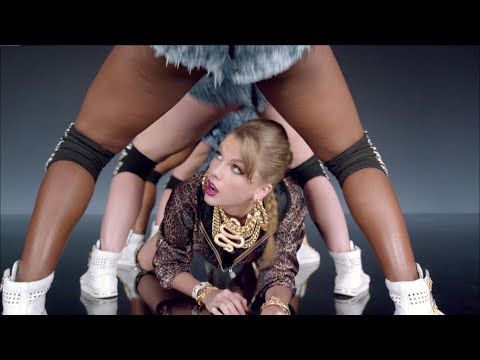
To replicate this Anthem Energy in Suno or Udio, you must prioritize percussive clarity in your prompt. If you want that “Shake It Off” stadium feel, avoid over-complicating the melody in the Chorus—instead, focus on tags that trigger rhythmic syncopation and brass-led production.
AI Music Genres that Live for the Chorus
While every song needs a center of gravity, some genres are built entirely around the gravitational pull of the Chorus. In these styles, the Verse serves as little more than a vehicle to deliver the listener to the Hook, which is engineered for maximum emotional or physical impact.
Here are some of them.
Pop (Top 40)
In Pop, the chorus is everything. It is usually built around a hook—a short, repetitive melodic or lyrical phrase that is designed for maximum stickiness.
- Why it works: It relies on repetition with variation, making the song feel instantly familiar to the listener by the second time the chorus plays.
- Tag strategy: Use
[Big Pop Chorus]or[Catchy Vocal Hook]to trigger high-production value and layered backing vocals.
Power Metal
This genre takes the idea of an anthem to the extreme. The chorus is often a massive, multi-tracked vocal explosion supported by fast double-bass drumming and triumphant melodies.
- Why it works: It triggers a sense of epic scale and communal energy, often utilizing choir effects to make the sound feel larger than life.
- Tag strategy: Combine
[Epic Chorus]with[Power Metal Vocals]and[Double Kick Drums]to ensure the AI hits the maximum possible energy level.
Grunge / Alt-Rock
Utilizing the quiet-loud dynamic, the chorus in Grunge acts as a sudden release of pent-up aggression. It usually features heavily distorted guitars and a significant jump in vocal volume compared to the Verse.
- Why it works: The stark contrast between the moody Verse and the explosive chorus creates a visceral emotional release for the listener.
- Tag strategy: Place
[Heavy Distortion]and[Grungy Chorus]immediately after a[Clean Verse]to force that signature 90s dynamic shift.
Gospel
The chorus in Gospel is often the focal point of the entire arrangement, utilizing a call-and-response structure and massive vocal harmonies to build a sense of spiritual heights.
- Why it works: The use of a wall of voices creates a rich, harmonic texture that feels physically and emotionally resonant.
- Tag strategy: Use
[Full Gospel Choir]and[Harmonized Chorus]to get that lush, multi-layered vocal sound that defines the genre.
Beyond the Chorus
Next Steps: Direct the Energy
The Chorus is the emotional payoff of your song. It’s the additive space where the energy peaks and your main Hook takes center stage. A great Chorus isn’t just loud—it’s the memorable anchor that stays in the listener’s head long after the track ends. Depending on where you want to take the energy next, here is your path:
For the Final Landing: Visit the Outro Tag Library to engineer a professional fade-out or a high-impact “Cold Stop” finish.
For the Sonic Reset: Move to the Verse Tag Library to strip back the production and dive back into the details of your story.
For the Ultimate Twist: Head to the Bridge Tag Library to break the repetition with a sudden shift in key, tempo, or emotional perspective.
Feeling overwhelmed by all the options?
Don’t sweat the theory. If you’ve got a specific artist or mood in mind, let Vibe-to-Tag engineer the perfect Suno Lyrics tags and complete Styles box for you instantly.
One click, zero stress.