
Suno Solo Tags: How to Use [Solo] for AI Music

Mastering the Art of the Spotlight
Tired of your AI tracks sounding crowded or generic? The [Solo] tag is your primary tool for taking control of the arrangement. While most generative models tend to keep every instrument playing at full volume, these copy-and-paste prompts act as a director’s cue, clearing the stage so a single lead instrument or voice can take the spotlight. Whether you are searching for the perfect Suno guitar Solo prompt to add a shredding bridge or learning how to prompt an AI Solo that actually cuts through the mix, mastering these tags prevents your songs from sounding like a flat, muddy Wall of Sound.
The Difference Between Instrumental and Vocal Solos
An Instrumental Solo is when a single instrument, like a guitar or a synth, takes the lead while the rest of the band plays more quietly in the background. It is meant to show off technical skill and provide a musical break from the singing. On the other hand, a Vocal Solo is when the background music drops away or simplifies to let the singer’s voice stand out alone, often focusing on a more emotional or raw performance without other instruments competing for attention.
Pro Tip
Understanding Solo Tags
Syntax is the difference between a professional render and wasted credits. Because Suno processes each input box differently, your tagging strategy must adapt to where you’re placing the code.
While this template focuses on electric guitar solos, the mechanical logic applies to any lead instrument in your arrangement. Whether you want a soaring synth or a soulful saxophone, you must prompt the sequence with the same structural intentionality used for a guitar.
Use the Ranked Solo Tag List below to find the specific commands for your genre. Just remember: always prime the pump with a Bridge before letting the spotlight hit.
The Square Bracket Rule
- Lyrics Box: Commands require [Brackets]. Without them, the AI will attempt to sing your instructions as lyrics.
- Styles Box: Commands must be bracket-free. Adding brackets here can cause the model to ignore your genre or glitch the generation entirely.
The Bridge to Solo Hack
For a more professional AI Guitar Solo, always pair your Solo tags with a Bridge. By adding descriptive actions before the Solo, you force Suno to engage the virtual amplifier and shift the song’s structure simultaneously. This establishes a gritty, high-gain texture before the first note hits, preventing the Solo from sounding like a thin, digital afterthought.
Know Your Gear: The Genre Match
A hack is only as good as the data behind it. When you reach the Solo section, your tags must match the specific instrumentation of your genre. A Technical Shredding tag works for Thrash, but for a Progressive Metal track, you might need Dissonant Harmonics or Wah-Pedal Filter.
If you aren’t sure which pedals or techniques define your sound, do your research first.
Copy, Paste & Personalize
Copy & Paste: Click the Copy button on the Pink Box to grab the structural tags, then paste them directly into the Suno Lyrics Box.
Customize Variables: Once pasted, replace the tags with your own specific ideas. For example, you might choose a Dive Bomb for a Modern Rock song or Polyrhythmic Riff for Math Rock.
Add Your Content: Finally, insert your lyrics and add any remaining Intro, middle, and Outro tags to complete your track.
The AI Music Electric Guitar Solo Template
LYRICS BOX
[Chorus]
Your lyrics block here...

[Bridge]
[Electric Guitar Solo]
[Pick Slide]
[Technical Shredding]
[High Gain Distortion]
[Dive Bomb]
[Feedback]

[End Solo]
[Final Chorus]
Your lyrics block here...![AI Music Solo Guide: Screenshot of customized Suno [Solo] tags in the Lyrics and Styles boxes.](https://tagasong.com/wp-content/uploads/2026/05/solo-template-suno-pro-tip-lyrics-styles-box-screenshots-956x1200.webp)
When NOT to Use a Solo
Omit the [Solo] tags to keep your tracks streamlined and stylistically accurate for these specific sounds:
- Modern Pop / Top 40: These genres prioritize the vocalist and production hooks. A traditional Solo is usually replaced by a
[Middle 8]or a high-energy Drop to keep the listener’s attention on the song’s catchiest elements. - Punk Rock (Short Form): While some subgenres embrace the lead guitar, fast and aggressive punk often skips the Solo to maintain maximum velocity, keeping the song short, punchy, and under the 2:30 mark.
- Hip-Hop / Rap: Traditionally, this genre centers on the beat and the flow. Unless you are specifically prompting for a
[Turntablism Section]or[Scratch Solo]an instrumental Solo can often feel out of place and distract from the lyricism. - Minimal Techno / Trance: These genres are built on gradual layering and textural evolution. Introducing a hero instrument can break the hypnotic, repetitive loop that defines the club-ready experience.
- Shoegaze: Though heavily guitar-driven, Shoegaze focuses on a Wall of Sound. A distinct, single-note lead melody often undermines the hazy, washed-out texture that defines the genre’s ethereal vibe.
If you’ve decided your track needs a spark of virtuosity, explore our ranked solo tags below to dial in the perfect tone. Browse the cards to find your vibe, experiment with different categories, and see how they transform your lead sections!
Ranked [Solo] Tag List
Choose Your Spotlight Style
Classic Rock & Metal Solos
Rock & Metal Solos turn up the volume and let the electric guitar or bass take over the melody with speed and aggression.
[Guitar Solo]
The undisputed king of Solo tags.
[Bluesy Guitar Solo]
Focuses on slower, soulful note bends.
[Shredding Guitar Solo]
Best for high-energy, fast-paced sections.
[Distorted Guitar Solo]
Adds grit and overdrive to the lead line.
[Wailing Guitar Solo]
Triggers emotional, high-pitched crying notes.
[Psychedelic Guitar Solo]
A mind-bending section utilizing wah-wah pedals, reverse delay, and phasers to create a swirling electric guitar texture.
[Bass Solo]
A rhythmic spotlight where the bass guitar steps forward, utilizing slap-and-pop, chords, or melodic upper-register playing.
[Fuzz Guitar Solo]
A gritty, lo-fi Solo where the electric guitar is heavily saturated with a fuzz pedal, common in Psychedelic Rock and Stoner Metal.
Vocal & Narrative Solos
Vocal Solos focus on the singer’s raw ability, allowing them to to add emotion, ad-libs, or spoken words that break the fourth wall.
[Vocal Ad-libs]
Encourages the AI to add runs, shouts, or improvised lines.
[Vocal Solo]
Strips back the instruments to focus purely on the singer.
[Vocal Runs]
Specifically asks for technical, multi-note singing.
[Vocal Chop Solo]
An electronic lead section where sliced segments of a human voice are re-arranged to create a new synthetic melody.
[Spoken Word Break]
A Solo for the lyrics, common in Indie and Hip-Hop.
[Scat Solo]
Triggers improvised rhythmic vocalizing (best for Jazz).
[Cadenza]
An ornamental passage near the end of a song where the singer performs a virtuoso Solo in free time (no steady beat).
[Ethereal Vocal Chant]
A haunting, wordless solo featuring lush reverb and stacked harmonies. Perfect for Cinematic, New Age, or Dark Pop textures where the voice acts as an atmospheric pad.
Electronic & Synth Solos
Synth Solos are the best way to move a song from a lyrical story into a danceable or atmospheric Groove.
[Synth Lead Solo]
A futuristic Solo where a monophonic synthesizer plays a piercing melody using pitch bends, portamento, and sawtooth waves.
[Arpeggiated Synth Solo]
Creates those fast, bubbling patterns common in New Wave.
[Hammond Organ Solo]
A Gospel or Rock Solo featuring the swirling Leslie speaker effect, percussive key clicks, and drawbar swells.
[Wurlitzer Rhodes Solo]
A mellow, vintage Solo featuring the bell-like tines and warm saturation of an electric piano.
[Neon Synth Solo]
Excellent for that specific 80s Synthwave aesthetic.
[Talkbox Synth Solo]
A vocal-like Solo where a synth is modulated to sound like a human voice. Essential for G-Funk, Modern Funk, and Daft Punk aesthetics.
[Acid Synth Solo]
Triggers the squelchy, modulated filter sounds of Techno.
[Chiptune Solo]
An 8-bit, bleep-and-bloop Solo using square and pulse waves. The definitive choice for Video Game music or Hyperpop.
Soul & Jazz Solos
Soul & Jazz Solos strip away the heavy production to show off a more intimate and artistic side of the music.
[Saxophone Solo]
Very popular for R&B, Jazz, and even 80s Pop.
[Blues Guitar Solo]
An expressive Solo featuring string bends, vibrato, and pentatonic scales played on an electric guitar with mild overdrive.
[Call-and-Response Solo]
A duel where two instruments (e.g., Guitar vs. Keyboard) trade short phrases back and forth.
[Funky Bass Solo]
Best for disco or funk-inspired tracks.
[Harmonica Solo]
Perfect for Blues or Folk-Rock detours.
[Slide Guitar Solo]
A whining, vocal-like solo played with a glass or metal slide, creating microtonal glissandos (typical of Blues and Country).
[Trumpet Solo]
A bright, piercing solo (or muted Jazz Solo) featuring staccato articulation and brass fanfares.
[Smooth Guitar Solo]
A polished Jazz Fusion solo featuring a clean tone, Chorus effects, and sophisticated jazz phrasing.
[Honky-Tonk Piano Solo]
A lively, rhythmic solo played on an upright piano (often slightly out of tune) emphasizing ragtime syncopation.
[Trading Fours]
A Jazz term where soloists (often including the drums) take turns playing four bars each in rapid succession.
Folk & Classical Solos
Folk & Classical Solos add unique flavors that you don’t hear every day.
[Piano Solo]
A central melodic section played on a grand piano, ranging from classical arpeggios to Jazz improvisation. Ideal for ballads or adding a sophisticated human touch.
[Acoustic Guitar Solo]
An unplugged section featuring the bright resonance of steel strings or the warmth of nylon strings, often using fingerpicking.
[Violin Solo]
An emotional, classical or cinematic section where a violin carries the main melody with rich vibrato and legato bowing.
[Banjo Solo]
A high-speed, twangy section featuring rapid fingerpicking and syncopated rolls; the heartbeat of Bluegrass and Country.
[Cello Solo]
Adds a dark, cinematic, and dramatic texture.
[Spanish Guitar Solo]
A passionate, unamplified Solo featuring rasgueado strumming and flamenco scales on a classical guitar.
[Fiddle Solo]
A fast-paced, rhythmic Solo performed on a violin, characterized by double stops, shuffles, and folk ornamentation.
[Harp Solo]
An elegant and ethereal passage defined by lush, plucked arpeggios; essential for Classical, Fantasy, or cinematic textures.
[Flute Solo]
An airy, agile solo featuring trills, flutter tonguing, and breath sounds, common in Prog Rock and Folk.
[Accordian Solo]
A rhythmic, bellows-driven lead featuring vibrating reeds and a distinct folk character; perfect for Traditional, Parisian, or Zydeco vibes.
Suno [Solo] Tag Examples
A-ha – “Take On Me”
A-ha’s “Take On Me” illustrates the True Solo strategy, where the synthesizer momentarily replaces the singer as the primary voice. Following the second Chorus, the arrangement pivots into a high-pitched, neon-soaked melodic detour that provides a professional, high-energy reset.
Taking on the Isolated Synth Solo in Suno
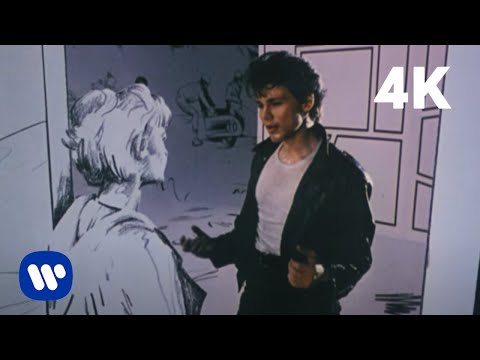
To replicate this effect in Suno, you must often go beyond a standard tag. Because the AI typically defaults to an accompanied solo to maintain rhythmic safety, using specific commands like [Isolated Synth Solo] or [Solo Break] is essential to clear the stage. This clearing prevents the lead instrument from getting buried in the mix.
To truly nail the 80s New Wave aesthetic for yourself, try injecting tags like [Analog Lead, Bright Reverb, Portamento] to give the synth the cutting, clinical edge required to carry the melody alone.
Once you master the mechanical setup, the next step is understanding the musical playground where these spotlight moments thrive.
AI Music Genres that Love Solos
Because certain genres depend on Solos to define their identity, they respond far more predictably when you call for a total shift in focus. While many types of songs have Solos, we chose these because they get the best results from Suno.
Here are some of them.
Blues & Classic Rock
In these genres, the Solo isn’t just a break; it’s the conversation. The guitar essentially becomes a second vocalist, mimicking the call and response of the Blues to tell an emotional story without words.
- Why it works: The AI excels at pentatonic scales and bluesy bends. Giving it a dedicated Solo section allows the model to shift from rhythmic strumming to lead phrasing that feels human and improvisational.
- Tag strategy: Use
[Bluesy Guitar Solo]or[Soulful Lead]and pair it[Screaming Overdrive]to ensure the tone cuts through the mix.
Jazz & Fusion
In Jazz, the Solo isn’t just a part of the song—it is the language of the genre itself. It thrives on the breakdown and breakout structure, where individual instruments take turns exploring the harmonic landscape before returning to the main theme.
- Why it works: Jazz Solos introduce sophisticated rhythmic swings and complex note choices. A well-placed tag forces the AI to abandon the safe, repetitive melody of the verse in favor of more experimental, high-fidelity exploration.
- Tag strategy: Combine
[Complex Saxophone Solo]or[Walking Bass Solo]with[Syncopated Rhythm]to encourage the AI to play outside the box.
Synthwave & 80s Pop
As seen in the “Take On Me” example, the Synth Solo is the melodic anchor of the 1980s. These are often clean, bright, and highly melodic breaks that serve as the song’s most memorable “earworm.”
- Why it works: Because synth sounds are mathematically precise, the AI is incredibly effective at generating neon textures and arpeggios that feel authentic to the retro-futuristic aesthetic.
- Tag strategy: Use
[Isolated Synth Solo]or[Analog Lead Solo]followed by[Bright Reverb]to get that iconic, soaring 80s texture.
Heavy Metal
Metal Solos are about power, speed, and technical dominance. They act as the Grand Finale of a musical movement, often escalating in complexity to provide a visceral, high-energy payoff for the listener.
- Why it works: The AI can generate the technical shredding and pick slides that define the genre. By clearing the lyrical wall, you allow the AI’s virtual amplifier to focus on high-gain textures and rapid-fire note sequences.
- Tag strategy: Try using
[Virtuoso Guitar Solo]with specific modifiers like[High Gain Distortion],[Technical Shredding], and[Dive Bomb]for maximum impact.
Beyond the Solo
Next Steps: Define the Aftermath
The Solo is a high-energy detour that demands a powerful transition. It’s the musical peak that shifts the listener’s focus from the instruments back to the narrative. Depending on how you want to resolve that tension, here is where you head next:
For the Victory Lap: Move to the Chorus Tag Library. After an intense instrumental break, returning to the Final Chorus feels like a triumphant homecoming. This is the classic Pop-Rock strategy for maximum impact.
⚠️ WARNING: Mind the Solo Hangover. Suno often tries to keep the solo instruments playing loudly even after the tag ends. To ensure a clean transition back to the vocals, use a structural reset like [Main Theme] or [Clean Arrangement] to pull the AI back into the pocket.
Feeling overwhelmed by all the options?
Don’t sweat the theory. If you’ve got a specific artist or mood in mind, let Vibe-to-Tag engineer the perfect Suno Lyrics tags and complete Styles box for you instantly.
One click, zero stress.