
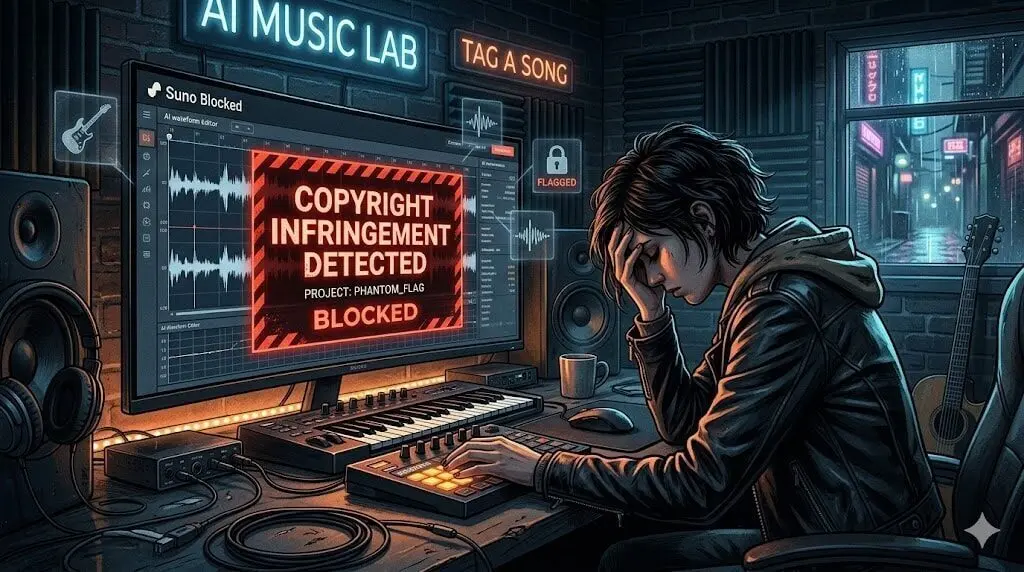
If you are a music creator using Suno, you’ve likely been there. You spend hours refining a prompt, tweaking lyrics to perfection, and crafting a unique sonic identity. You hit the “Create” button, your heart racing with anticipation, only to be met with a cold, automated rejection: “Couldn’t generate that. Your lyrics contain copyrighted material. Please change it and try again.”
I experienced this exact frustration while working on a recent industrial-noir remix of Brass in Pocket by the Pretenders. Despite the work being an original composition, I was trapped in a copyright block loop that felt impossible to break. Here is how I navigated the system.

The problem? I knew it wasn’t copyrighted. It was my own work, completely original. Yet, Suno was convinced it was a direct copy of a chart-topping hit from the 80s.
At that moment, I felt that familiar sense of defeat. It wasn’t just about one song; it felt like the automated algorithm was actively preventing me from exploring my creative vision.
If this has happened to you, you aren’t alone, and you aren’t going crazy. Thousands of creators are running into this Phantom Flag—a systemic issue where over-sensitive AI copyright detection algorithms are creating false positives, effectively throttling users who are simply trying to be creative.
What is the Phantom Flag?
The Phantom Flag is the term many in the creator community are using to describe the current state of AI safety guardrails. Platforms like Suno are under immense pressure to prevent intellectual property theft, especially as AI-generated music companies face mounting legal scrutiny and class-action lawsuits regarding the training data used for their models. To do this, they employ automated fingerprinting technology that scans your lyrics, style tags, and structural metadata against a massive database of protected works.
The issue arises when these filters become too sensitive. They don’t just look for exact matches; they look for patterns. If your song structure, your specific combination of genre tags, or even the cadence of your lyrics happens to mirror a popular track, the system defaults to block to protect itself legally.
Once your project or your specific account session is tagged, you often enter a flag loop. The AI seems to remember that you are a high-risk user, making subsequent generations harder to pass, even if they are fundamentally different from your first attempt.
Why Original Songs Trigger the Filter
If you are frustrated, it’s because the technology is currently treating inspiration as infringement. I know this feeling all too well. While driving this weekend, I heard “Brass in Pocket” by The Pretenders on the radio. I was a kid when that song came out and always thought the title was “Special”—silly me. But as a trained shooter, the lyrics hit me differently once I knew the true title. I interpreted “brass” as shell casings and “bottle” as a suppressor, turning a classic pop song into a dark, gritty noir narrative.

Inspired, I used my own Tag a Song development tools to craft a Suno prompt for a dark, industrial version of the song. I generated four successful iterations and even refined the lyrics for more menace. However, the moment I deleted a bridge to make the song shorter (there is no bridge in the original track), the system slapped me with a copyright block. Despite reverting to my previous, successful prompts, I was locked in a phantom flag loop for the rest of the day. It wasn’t until the next morning that the blocking filter finally cleared.
Despite the frustration of that temporary lockout, the final post-punk result was a breakthrough. This remix doesn’t just mimic the original; it captures the menace I heard in the lyrics all along. You can listen to the result of that experimental session below:

Common Reasons for Suno Copyright Blocks
This experience proves that these AI safety guardrails are often blind to intent. Here are the three most common culprits behind the copyright block:
The Style Tag Fingerprint
If you use specific artist names or highly specific genre combinations that are synonymous with famous tracks, the AI immediately flags the generation. Even if you remove the artist names, your style tags might remain too specific to a protected sound profile.
The Lyrical Cadence
AI models are rhythm-obsessed. If you write lyrics that share the exact syllable count, rhyme scheme, and phrasal rhythm of a famous song, Suno perceives the result as a structural clone. The algorithm doesn’t need to steal your words; it only needs to recognize the musical skeleton. I believe this is exactly what happened to me: once I deleted the bridge, the remaining song structure mirrored the original too closely, triggering the block.
The Tainted Session
This is the most infuriating aspect. AI platforms often maintain session metadata. If your prompt triggers a flag once, the platform may retain that violation metadata in your current browser cache or server-side session. This is why you can try for an hour, fail every time, and then find it magically works the next morning after a server reset or a long break. That is why, even though I added the bridge back and changed my lyrics back to the ones that had passed just minutes before, I was blocked again and again. At that point, I knew this song was doomed—at least for the rest of the night.
The Segmented Generation Fallacy
There is a common belief that generating a song in small, incremental blocks will bypass copyright filters. My testing shows this is unreliable.
While it is true that smaller chunks are less likely to trigger a pre-render scan, it does not make your project safe. If you successfully generate an [Intro] and [Verse 1], but then trigger a flag on the [Chorus] during an “Extend” operation, the entire project file will be locked or tainted.
The Hard Truth: It Doesn’t Work
- The Chain Reaction: Because AI platforms often treat an “Extended” song as a single, evolving metadata file, a flag on block #4 can effectively retroactively penalize blocks #1, #2, and #3.
- Don’t Fall in Love with the Foundation: If you are building a project block-by-block and you hit a copyright flag, abandon the project file immediately. Do not attempt to fix the flagged section. If the platform’s security logic has flagged that project, no amount of re-writing or extending will clear it.
Three Ways to Bypass the Suno Copyright Filter
You don’t have to quit, and you don’t have to wait 12+ hours between every generation. Here is how to navigate the current AI landscape without losing your momentum.
Method 1: Reset Your Session
If you’ve been fighting a specific project file, stop. Do not try to fix it. Create a brand-new project with a generic, unrelated title. Clear your browser cookies or switch to an Incognito window to force a new session state. Treat it like a brand-new workspace to ensure you aren’t carrying over metadata from a flagged attempt.
Method 2: Mask Your Style Tags
Instead of using common industry terms that Suno has already mapped to copyright-heavy artists, use masked descriptors. Fortunately, since I am the developer of this site, I handled this aspect correctly from the very beginning.
STYLES BOX
❌ NO
1980s New Wave, The Pretenders style, Chrissie Hynde vocal delivery, jangly electric guitar riff, power pop rhythm section, vintage British rock, mid-tempo pop rock hit, classic 80s radio sound.
STYLES BOX
✅ YES
Dark, gritty post-punk, driving industrial bassline, ominous tension, cinematic noir rock, urgent tempo, sultry female vocals, mid-range alto, gritty rasp, cool and detached delivery, syncopated percussion, moody and menacingMethod 3: Deconstruct Your Lyrics
If your lyrics are being flagged, the AI is catching an anchor—a rhythmic hook that mirrors a protected song. Identifying this anchor is key. If you find your chorus hitting a wall, don’t just swap synonyms; you must dismantle the cadence entirely.
The goal is to break the rhythmic pattern that Suno uses to map your song against its copyright database. Here are the chorus lyrics to the original “Brass In Pocket,” a song most likely used to train the Suno model:
[Chorus]
'Cause I'm gonna make you see
There's nobody else here, no one like me
I'm special (Special), so special (Special)
I gotta have some of your attention, give it to me
LYRICS BOX
❌ NO
[Chorus]
Cos I’m gonna make you see
There’s no one else here, nobody like me
I’m lethal… (Lethal), so lethal… (Lethal)
I’m gonna steal all your attention, give it to me!
LYRICS BOX
✅ YES
[Chorus]
Look at me—I’m the focus now.
No one else compares; I’m the only one.
Lethal, yeah… so lethal.
Stealing your gaze, this will be such fun.
By shifting from a repetitive, melodic rhyme scheme to a more jagged, irregular phrasing, you force the model to re-evaluate the structural profile of your generation, often successfully bypassing the copyright filter.
Confession time: I hate having to do this. The whole point of this project was to create a tribute that honored the original, and stripping away the specific, driving rhythm of the chorus feels like losing the soul of the song. For me, it was a deal breaker so I just waited for the shadow ban to lift.
However, if you want to get past the copyright block right away, you may have to accept that the Suno is currently more concerned with rhythmic pattern-matching than it is with your creative vision. It’s a bitter pill, but it may be the only way to get your track to render.
The Final Proof: The Clean Slate Contrast
The most frustrating part of this entire experiment? My husband, using the same Suno account with his own device on a different network, successfully remixed my published track into three different genres in minutes.
Performance Comparison: Flagged vs. Fresh Sessions
| Variable | My Session (Flagged) | Husband’s Session (Success) |
| Asset | “Brass in Pocket” Remix | “Brass in Pocket” Remix |
| Network | Home WiFi | Mobile / External |
| Session State | Active (Dirty Cookies) | New (Clean Session) |
| Result | Continuously Rejected | Success |
While my own session was trapped in a phantom flag loop, his session remained completely untouched. This confirms the system-wide block isn’t about your creative intent, your lyrics, or even your “Advanced” style tags. It’s a session-based lockout. Once your browser handshake is corrupted by a flag, the system simply refuses to accept any further input from that session. It’s not a legal verdict; it’s a persistence bug. If you hit this wall, don’t fight it—the only winning move is to clean your slate, reset your session, and start fresh.
Beyond the Block
Stop Raging Against the Machine
If you are tired of wrestling with automated copyright filters and want to take full control of your creative process, you don’t have to work in a vacuum. I’ve built a suite of tools specifically designed for developers and audio engineers who need more precision than a generic AI prompt can offer.
- Need a smarter creative partner? Instead of fighting a black-box prompt, try Vibe-to-Tag. It digests your site’s content to help you generate metadata and style tags that are tailored to your specific sonic aesthetic, reducing the guesswork that triggers those copyright blocks.
- Need a beginners manual? For a complete breakdown of the workflows I use for my industrial, noir, and post-punk projects, check out the Simple Suno Guide. It covers the technical prompt-engineering tactics that help keep your generations clean and consistent.
The Future of AI Creativity
We are currently in the Wild West era of generative AI music. These copyright walls are growing pains, and while they are incredibly frustrating for professional creators, they are also a sign that the industry is trying to build a sustainable—if currently clunky—legal framework.
The Phantom Flag is not a judgment on your talent. It is a technical limitation of a system that is currently more afraid of a lawsuit than it is interested in creative nuance. By segmenting your work, masking your style, and periodically refreshing your session, you can bypass these roadblocks and keep producing the music you were meant to make.

![Simple Suno Guide: Comparing pink [Lyrics Tags] to orange Style Tags neural network signal paths.](https://tagasong.com/wp-content/uploads/2026/03/simple-suno-manual-lyrics-styles-syntax.webp)