
Suno Break Tag Guide: How to Use [Break] for AI Music
Mastering the Art of the Dramatic Pause
Tired of cluttered AI arrangements? [Break] tags are the ultimate tool for managing tension and space. While most generative models are excellent at maintaining a steady Groove, they often don’t know when to pull back and let the track breathe. Without explicit instructions, a Suno render can feel relentless or cluttered, moving from section to section without the professional breather or structural reset that listeners need.
Stop wasting credits on overcrowded songs and start calling the shots. Instead of letting Suno run on autopilot, you’ll be the one deciding exactly when to let the track rest.
⚠️ WARNING: Don’t confuse this with Breaks or Breakbeat—those are specific music genres. This page focuses exclusively on the structural Break tag used to create pauses and transitions in your track.
Breaks: The Strategic Gap
The Break is the crucial middle link in the Build-Break-Drop (or Build-Break-Chorus) sequence. It acts as a reset button for the AI’s audio engine. By inserting a brief moment of silence or a rhythmic pause after your tension-building section, you clear the clutter and create a vacuum that makes the following Drop or Chorus feel twice as powerful.
Here is the proper placement:
[Build] → [Break] → [Drop] or [Chorus]
The Break is only as effective as the sections surrounding it. Be sure to engineer a high-intensity climb from the Build Tag Library before attempting a transition. For your resolution, skip the generic tags and use a specific Drop or Chorus command to ensure the AI hits the landing with full power.
Pro Tip
Understanding Suno Break Tags
Syntax is the key to professional song renders. Because Suno reads each input box differently, your tagging strategy must adapt to where you’re placing the code.
The Square Bracket Rule
- Lyrics Box: Commands require [Brackets]. Without them, the AI will attempt to sing your instructions as lyrics.
- Styles Box: Commands must be bracket-free. Adding brackets here can cause the model to ignore your genre or glitch the generation entirely.
The Vacuum Hack
Transitioning directly from a Build to a Drop often sounds too crowded. To fix this, you must engineer a Vacuum.
A Break is a brief rhythmic pause that strips away the ensemble to highlight a single vocal chop, drum solo, or silence. By disrupting the rhythmic density, you force Suno to kill its previous audio buffer.
The Payoff: Because the buffer is cleared, the eventual Drop rushes back with twice the perceived volume and punch. You are resetting the AI’s internal dynamics to make the resolution feel physically massive.
The most addictive part of using Suno is the thrill of the perfect hit—when you tag a Build, Break, and Drop with precision, you transform a random AI gamble into a high-fidelity technical achievement that sounds absolutely fantastic.
Copy, Paste & Personalize
Copy & Paste: Click the Copy button on the Pink Box to grab the structural tags, then paste them directly into the Suno Lyrics Box.
Customize Variables: Once pasted, replace the tags with your own specific ideas. For example, you might specify the type of Drum Fill by adding a colon followed by Tom Fill. You might also end the sequence with a Chorus instead of a Drop.
Add Your Content: Finally, insert your lyrics and add any remaining Intro, middle, and Outro tags to complete your track.
The Universal AI Music Break Template
LYRICS BOX
[Build]
[Rhythmic Density: Stacking]
[Drum Fill]
[Crescendo]

[Break] <-Replace with a specific Break from our list below

[Drop]![AI Music Break Guide: Screenshot of customized Suno [Break] tags in the Lyrics and Styles boxes.](https://tagasong.com/wp-content/uploads/2026/05/break-template-suno-pro-tip-lyrics-styles-box-screenshots.webp)
The Difference Between Breaks and Breakdowns
Understanding the difference between a quick Break and a full Breakdown is the secret to a well-punctuated song. A Break acts as a short, rhythmic interruption (usually just a few beats or a single bar) where the instruments stop to let a vocal or a drum fill shine through. In contrast, a Breakdown takes the high energy of a previous Chorus or Build and tells the model to collapse the arrangement entirely, leaving only atmospheric pads or melodies to usher in a new, emotional phase.
A Break is about punctuation—telling the AI to take a quick breath before slamming back into the rhythm. A Breakdown is about evolution—telling the AI that the previous energy level is over and it is time to rebuild the song from the ground up.
The Suno [Break] tags below are organized onto cards so you can find the exact vibe you need. Take a look at the categories, try out different tags, and see how they change the way your AI music breaks!
Ranked [Break] Tag List
Choose Your Moment of Silence
Drum Breaks
Drum Breaks strip away the melody to let the percussion breathe, turning the song into a high-energy heartbeat that forces the listener to move.
[Amen Break]
A 6-to-7-second drum solo performed by Gregory Coleman in the 1969 track “Amen, Brother” by the soul group The Winstons. While the original song was a B-side, this specific drum break became the most sampled loop in music history, serving as the rhythmic foundation for entire genres including Hip Hop, Jungle, Drum and Bass, and Breakcore.
[Drum Break]
A rhythmic interlude featuring only the drum kit, highlighting syncopated fills and the groove without melody.
[Beat Cut]
A sudden, sharp interruption to emphasize a specific word or drum hit. Little cousin to the Beat Gap.
[Tom Fill]
A series of deep, resonant tom hits used to create a tribal or cinematic weight.
[Beat Gap]
A sustained pause to completely reset the energy or clear the audio air. Big cousin to the Beat Cut.
[Stop-Start Stutter Build]
A rhythmic sequence characterized by rapid-fire machine gun bursts followed by brief moments of total silence.
[Percussion Solo]
A rhythmic pause that focuses on auxiliary instruments like shakers or woodblocks.
Synth Breaks
Synth Breaks pull back the rhythm to let the electronic textures take over, shifting the song from a physical beat into a cinematic headspace.
[Dance Break]
An uptempo instrumental section dominated by synthesizers, drum machines, or heavy bass, designed to sustain rhythmic energy.
[Bass Drop-out]
Specifically removing the low-end frequencies while the high-end continues. Opposite of a Bass Fill.
[Glitch Break]
A stuttered or fragmented interruption of the music for a digital effect.
[Bass Fill]
Removes the drums and rhythm guitar for one bar to let the bass perform a flourish that leads into the next section. Opposite of a Bass Drop-Out.
[Filtered Pause]
Makes the music sound like it is being played underwater or through a radio.
[Synth Tail]
Allowing the final note of a melody to ring out into a quiet space.
[Supersaw Break]
Triggers massive, layered sawtooth waves common in Trance and Future Bass.
Vocal Breaks
Vocal Breaks strip away the backing track to highlight the human voice, using either total silence or a thin layer of effects to create a moment of raw, high-stakes focus.
[A Cappella Fill]
A structural command to silence all instrumental tracks, leaving only the vocal line. Use this to highlight pivotal lyrics or create a high-contrast transition before a Final Drop.
[Chopped Vocal Break]
The vocal is sliced into rhythmic stutters (e.g., “G-g-g-get down!”) while the background music is either silent or very minimal.
[Vocal Ad-lib Break]
A micro-break where the beat cuts for just a beat or two to let a shout through (e.g., “Let’s go!”, “Hey!”, or a short laugh).
[Vocal Echo Delay]
The lead vocal stops, but the last word or phrase trails off into a long, repeating echo that fills the space where the instruments used to be.
[Whispered Vocal Break]
A vocal technique performed at a low-dynamic, breathy level to create a sense of intimacy or eerie proximity.
[Melisma Break]
Triggers those long, curvy R&B vocal runs on a single vowel.
Atmospheric Breaks
Atmospheric Breaks create a sense of vast, open space before the music transitions back into a focused Groove.
[Ambient Reset]
Clearing away all complex melodies to leave a simple, quiet soundscape.
[Ethereal Wash Break]
A soft, reverb-heavy pause that feels like the music is floating.
[Ominous Drone Break]
A low-frequency vocal or synth break that creates a sense of dread.
[Static Air Break]
Focuses the audio on room tone and white-noise textures rather than rhythmic hits.
[Athematic Break]
Tells the AI there is no steady theme or beat to follow, allowing the pads to drift.
Dynamic Commands
Dynamic commands use sudden gaps and fake-outs to manipulate the listener’s expectations and make the next beat hit like a physical shock.
[Silence]
A total vacuum of sound with zero audio output for a brief moment.
[Sudden Silence]
An abrupt stop or caesura for dramatic effect.
[Stop-start]
An abrupt, jarring halt followed immediately by a high-energy re-entry.
[Hard Stop]
An instantaneous termination of all instruments and vocals, effectively killing the song’s momentum for dramatic impact or to signal a clean transition.
[Short Gap]
A quick, half-bar breathing room between two intense sections.
Transition Effects
Transition effects use textures to bend the music’s reality, signaling a sharp shift in the song’s timeline.
[Tape Stop]
A classic effect where the music sounds like a spinning record slowing to a halt.
[Vinyl Scratch]
A rhythmic disruption using the sound of a record being moved by hand.
[Reverb Tail]
The ghost of the music that lingers. It’s what prevents a break from sounding like a technical glitch or a broken file.
[Sub Bass Swell]
A deep, low-frequency hum that fills the silence during a Breakdown.
[Impact Echo]
A loud hit that rings out into a long, quiet decay.
Suno [Break] Tag Examples
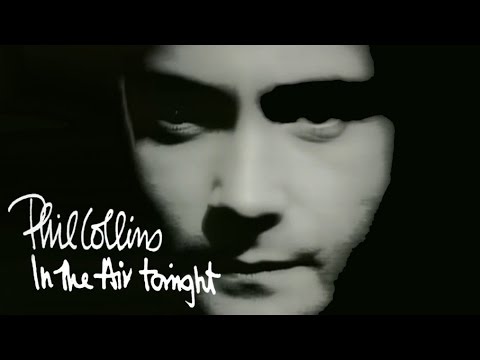
Phil Collins – “In the Air Tonight”
Phil Collins’ “In the Air Tonight” is arguably the most famous example of a delayed Build in Pop music history. Starting as a minimalist, atmospheric piece, it maintains an almost unbearable level of tension before suddenly pivoting into the legendary [Gated Reverb Drum Break] that defined the sound of an entire decade. We’re sharing the video so that you can clearly hear the dark synth pads and steady drum machine loop that lead up to this iconic rhythmic explosion.
Taking a Break with Phil: The Tension In the Air Tonight
Applying the structure of the “In the Air Tonight” drum transition to AI music models allows you to replicate the high-stakes atmospheric tension that precedes the final dynamic release. This case study focuses on using [Break] and [Silence] tags to clear the audio buffer before a massive percussive entry.
Performance Analysis: The Atmospheric Buffer
The composition relies on a contrast between steady, dry electronics and expansive, wet synths:
- The Minimalist Foundation (00:15): The track begins with a stark, rhythmic pattern from a Roland CR-78. In Suno, this is best replicated by keeping the early prompt sparse:
[Minimalist Drum Machine Loop]. - The Gated Reverb Tail (01:22): Collins uses a gated reverb technique on the vocals and snares, creating a sound that feels immediate yet vast. You can guide the AI to this specific 80s aesthetic using the Style Box:
1980s Pop, Gated Reverb, Heavy Compression. - The Strategic Pause (03:12): Immediately before the legendary drum fill, there is a micro-moment of instrumental clearing. This is where the
[Break]or[Silence: 1s]tag is most effective, acting as a vacuum that makes the subsequent drums hit with double the energy.
AI Music Genres that Love Breaks
To get the best results with the [Break] tag, you should pick a music style that is famous for big pauses and high energy. Some genres handle these silent moments better than others because they are built around the feeling of building up tension and then letting it go. We chose these specific genres because they make it really easy to hear the silence, helping you see exactly how a well-timed break can make your song go from boring to professional.
Here are some of them.
Funk
Funk is the birthplace of the break. It’s that moment where the horns and bass stop, and the drummer goes into a breakbeat Solo.
- Why it works: It creates a pocket for dancing or sampling.
- Tag Strategy: Using a
[Drum Break]tells the AI to strip away the melody and focus on the syncopated rhythm.
Electronic Dance Music (EDM)
Electronic Dance Music (EDM) is the modern evolution of the tension-and-release formula. It uses the filtered pause or Synth Break to clear the audio air and build anticipation for the explosive entry of the bass.
- Why it works: It forces a psychological reset that makes the eventual Drop hit with maximum physical impact.
- Tag Strategy: Using a
[Bass Drop-out]or[Glitch Break]tells the AI to remove the low-end frequencies while keeping the high-energy textures alive.
Jungle / Drum & Bass
In these genres, the “Amen Break” is king. The entire genre is built around high-speed, chopped-up drum breaks.
- Why it works: A Break in D&B usually leads into a complex
[Drum Solo]or a[VIP Drop]where the rhythm changes entirely. - Tag Strategy: Use this to transition from a melodic pad section into pure, aggressive percussion.
Hip-Hop & Trap
Hip-Hop & Trap rely on the element of surprise. These styles frequently use Breaks to create a sudden vacuum of sound that forces the listener to focus on a specific lyric.
- Why it works: It creates a high-stakes spotlight on a punchline or signals the imminent entry of heavy 808 sub-bass.
- Tag Strategy: Using a
[Beat Gap]or[Vocal Ad-lib Break]tells the AI to kill the rhythm for a micro-second, making the re-entry feel significantly more powerful.
Garage Rock / Punk
Rock frequently uses the [Stop-start] technique. The instruments cut out for a second of silence—or a single drum hit—before the full band crashes back in for the Final Chorus.
- Why it works: It adds a raw, live-performance energy that keeps the listener off-balance.
- Tag Strategy: Perfect for creating a hard stop or a tension-filled pause before a big climax.
Beyond the BReak
Next Steps: Resolve the Silence
The Break has cleared the deck and primed your listener’s ears. Now it is time to deliver the payoff. Depending on your genre, choose the high-energy landing that fits your track:
For the Ultimate Bass Drop: Head to the Drop Tag Library to engineer heavy 808 entries, aggressive synths, and rhythmic shifts.
For Massive Melodic Anthems: Move to the Chorus Tag Library to trigger soaring vocals and a full Wall of Sound.
Feeling overwhelmed by all the options?
Don’t sweat the theory. If you’ve got a specific artist or mood in mind, let Vibe-to-Tag engineer the perfect Suno Lyrics tags and complete Styles box for you instantly.
One click, zero stress.