
AI Music Voice Tags & Vocals: Suno Guide
Vocal tags are your most powerful tools. They act like a remote control for the singer’s voice, telling Suno exactly who should be behind the microphone.
Unless you command the AI vocals, it will just give you a generic singer. But with the right tags, you can choose between a soaring superstar like Beyoncé or a deep, gravelly powerhouse like Till Lindemann from Rammstein. You can even master the ever-elusive male/female duet! These tags dictate the gender, the range (how high or low they sing), and the physical texture of the performance.
Texture vs. Range: The Vocal Character
While Range (like Tenor or Alto) tells Suno which notes to hit, Texture (like Silky or Gravelly) tells the AI how those notes should feel.
- Range for Foundation: Choosing Basso Profondo (the tag
Extremely Deep Bassoworks best in Suno) locks the AI vocals into a sub-harmonic, deep register that grounds a dark cinematic track. - Tricks for Emotion: Adding a modifier like
Clipped ArticulationorClose-mictells the model how much breath to put into the microphone, changing the intimacy of the render.
Pro Tip
How to Master Suno Vocals Syntax
Because Suno processes each input box differently, your tagging strategy must adapt to where you place the code.
The Lyrics Box: Command Override
The Lyrics Box is time-sensitive. You must use square brackets to force the AI to stop reading text phonetically and start treating it as a production directive. Without brackets, the AI will try to sing your metadata.
- Syntax:
[Vocals: Close-mic, Breathy] - Result: A real-time shift in vocal performance.
The Styles Box: Global Parameters
The Styles Box sets the foundation of the track. It does not understand time; it only understands probability and weight. Adding brackets here causes syntax loops that can glitch your entire render.
- Syntax:
Soprano Diva - Result: A permanent tonal characteristic applied to the entire render.
Naturally, you should substitute your own vocal identity to match the exact singer character you have in mind.
Suno Vocals Syntax Template
LYRICS BOX
[Structure Tag: Details]

[Vocals: Close-mic, Breathy]
Your lyrics begin here...
STYLES BOX
Genre & Era, Subgenre, Soprano Diva, BPM, Sonics, Instruments, Vibe, EnergyFind Your Perfect Vocalist
Whether you’re looking for a soaring operatic lead or a smoke-filled basement Blues voice, choosing the right command is essential.
The Vocal Style Tags below are organized by biological range and sonic weight. Explore these categories, match them to your BPM and Genre in the Styles Box, and watch your AI music take on a human soul.
Ranked AI Vocal Tags List
From Highest to Lowest
Female Vocals
Using the term female vocals tells the model exactly where to place the singer in the frequency mix. This precise priming ensures her performance stays clear and isn’t drowned out by heavy instruments.
High-velocity Soprano
A specialized soprano capable of complex, high-velocity ornamentation, trills, and wide melodic leaps, aka Coloratura Soprano.
Soprano Diva
Ultimate diva, An unlimited soprano who has extended her range significantly beyond the standard A5 limit, aka Soprano Sfogato.
Soprano
The highest female vocal register (C4–C6); emphasizes upper-register brilliance and high spectral energy.
Spinto Soprano
A pushed voice category; a mezzo or soprano of lyric weight that can be driven to a more forceful, dramatic weight, aka Spinto.
Mezzo-Soprano
A pushed voice category; a mezzo or soprano of lyric weight that can The intermediate female range (A3–F5); characterized by a warmer, more flexible timbre than a standard soprano.be driven to a more forceful, dramatic weight, aka Spinto.
Alto
A low female voice that is clear and easy to listen to in a (G3–E5) mid-range.
Ultra-low Diva
The lowest female register (F3–F5); emphasizes rich, chest-voice resonance and dark, somber tonality, a smoke and whiskey soulful resonance that sounds less feminine and more earthy, aka Contralto.
Female Profonda
A production directive to target the lowest feasible female frequencies, emphasizing Basso resonance while maintaining female formant characteristics, aka Donna Profonda or Deep Female.
Mixed Vocals
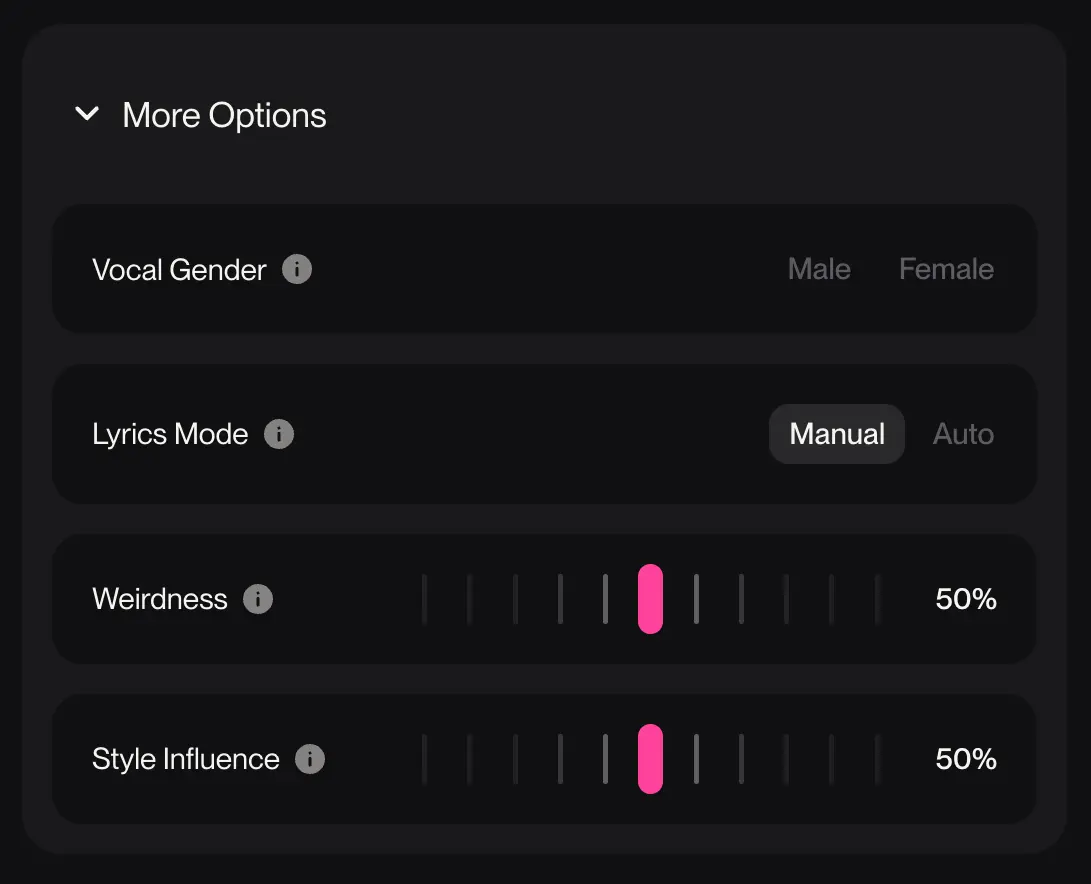
Do NOT use the “Male” or “Female” buttons in the Suno UI. These toggles act as a “Hard Lock” on the model’s vocal processing, which often results in a generic, one-dimensional performance that ignores your specific style tags. If you are aiming for a mixed vocal sound, a specific vocal texture, or a duet, you must leave that toggle in the neutral position. To achieve professional results, move all your vocal instructions directly into the [Vocals: tags] within the Lyrics Box. This gives the AI the structural freedom to blend identities and follow your precise cues without being overridden by a simplified UI preset.
Full SATB Choir
Soprano, Alto, Tenor, Bass (Full Range) mixed choir, best for Classical, Epic, or Gospel vibes.
Antiphonal Vocals
Call and response between male/female groups, best for Dramatic Rock or Worship styles.
Unison Mixed
Males and females singing the exact same melody, best for Indie-folk or “Gang” vocals.
Barbershop Blend
Tight, 4-part mixed harmony with no instruments, best for A cappella or Jazz tracks.
Ethereal Co-ed
Soft, breathy male and female layers, best for Cinematic or Dream-pop.
Androgynous
A gender-neutral timbre that balances feminine sweetness with masculine weight.
Whistle Register
The highest human vocal range, sitting above the Soprano. It produces ultra-high, bird-like pitches with a piercing, whistle-quality resonance.
Male Vocals
Specifying the male register prevents Suno from defaulting to a thin, generic singer. This ensures the performance has the physical presence needed to compete with heavy drums or bass lines.
Crisp Falsetto
A male voice type reaching soprano or contralto ranges with unique power; high-pitched male without female formant shifting, aka Castrato.
Contreteneur
A male singer performing in the female contralto or mezzo-soprano range, typically using a highly resonant falsetto technique, aka Countertenor.
Tenore di Grazia
“Tenor of Grace,” elegant, smooth delivery, High (Focuses on a graceful floaty upper extension) Focuses on legato or smooth, connected lines, Romantic, sweet, and effortless.
Leggiero Tenor
Light Tenor, agile, and built for speed, High (C3 to D5/E5), Handles fioritura or rapid notes like a machine, Athletic, bright, and energetic, aka Tenore Leggiero.
Tenor
The highest natural male range (C3–C5); the foundational lead voice for bright, melodic contemporary arrangements.
Baritone
The most common male register (F2–F4); provides a balance of warm mid-range resonance and low-end authority.
Basso
The lowest biological singing voice (E2–E4); focuses on fundamental frequency dominance in the lower octaves, aka Bass.
Extremely Deep Basso
An extremely deep, resonant bass register focusing on sub-harmonic frequencies and maximum low-end weight, aka Basso Profondo.
AI Vocal Textures
Find the right emotional vibe for a track, going beyond just the notes to define the actual character of the sound.
Bright
A clear, sharp sound that pops out of the speakers.
Breathy
A soft, close-up sound that feels like a secret.
Silky
Effortlessly smooth and polished vocals with zero friction.
Dry
No reverb or echo; creates a very raw and close studio feel.
Airy
Light, floaty vocals that sit on top of the music.
Raspy
A smokey, sandpaper quality that adds edge and character.
Gritty
Raw, distorted vocals with a lot of bite; perfect for Blues and Hard Rock.
Gravelly
A low-end rattle that adds instant toughness to a voice.
Vibrato
Adds a controlled wobble to long notes; essential for Opera and Jazz.
Nasal
A sharp, forward sound that cuts through any mix.
Gutteral
Harsh, throat-based sounds used for extreme intensity.
Operatic
Massive, resonant power with a wide vibrato.
Suno Vocal Style Examples
To engineer a professional-grade vocal render in AI music, you must define the correct range for your virtual performer. While most creators simply prompt for a female voice, sonic engineers use specific vocal classifications—like Soprano, Tenor, or Baritone—to trigger the AI’s internal library of trained registers. For a definitive breakdown of these technical boundaries and how they apply to the world’s greatest voices, reference the Classic FM Singer Vocal Range Guide.
Quick & Easy Artist Vocal Style Prompts
To get a professional sound, you can base your prompt on the natural range of a famous artist. This helps the AI hit the exact tone and emotion you want.
To recreate the vocal style of these popular artists, copy and paste these tags into your Suno Styles Box:
Ariana Grande
Soprano, Bright, Contemporary Pop, Airy, High-Register, Sweet, Clear, R&B InfluenceBeyoncé
Mezzo-Soprano, Rich, Thick Tone, Powerful, Soulful, Flexible, Mid-Range, Gospel, R&BAmy Winehouse
Alto, Deep, Velvety, Smoky, Soulful, Raspy, Jazz, Retro, Mid-Low Female RangeCher
Contralto, Deep Female Vocals, Dark, Powerful, Low-Register, Commanding, Rich ResonanceNina Simone
Female Basso, Ultra-Low Female, Masculine Edge, Deep, Vibrating Resonance, Earthy, SoulfulJustin Timberlake
Crisp Falsetto, Breathy, High-Register, Pop, Airy, Clean, Soulful HighsBruno Mars
Tenore di Grazia, Elegant Tenor, High-Register, Agile, Light, Warm, Soulful, PopFreddie Mercury
Tenor, Bright, Ringing, Powerful, High-Energy, Rock, Dramatic, Wide Range, ClearThe Weeknd
Leggiero Tenor, Light, High-Register, Agile Pop, R&B, Thin Texture, Fast Vocal RunsHozier
Baritone, Rich, Earthy, Warm, Deep Mid-Range, Soulful, Folk, Masculine, ResonantJohnny Cash
Bass, Deep Male Vocals, Low-Register, Rumbling, Steady, Dark, Country, StorytellerBohemian Rhapsody: The Vocal Range Masterclass
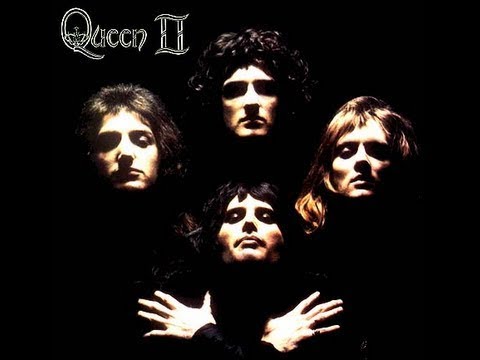
Watch for Changes in Vocal Range:
Beyond the Vocals
Next Steps: Round Out Your Sound
Congratulations! You’ve mastered the Range and Texture of the AI’s voice. Now, you need a stage for that performance to live on. Choose your next engineering move:
For Emotional Depth: Move to the Mood & Key Guide to add cinematic textures and spatial effects to your render.
For the Global Blueprint: Head to the Music Prompt Library to learn how to map out Verses, Choruses, and Bridges that keep your listener engaged.
Feeling overwhelmed by all the options?
Don’t sweat the theory. If you’ve got a specific artist or mood in mind, let Vibe-to-Tag engineer the perfect Suno Lyrics tags and complete Styles box for you instantly.
One click, zero stress.